Tips and Tricks for the Samsung Galaxy S i9000

By Lymond
Having had the Samsung Galaxy S for a couple of months now there are a few things that take getting use to. Mostly they’re good things, the giant 4” capacitive touch screen, the speed, the fact that it isn’t an Iphone. There are also one or two things you need to work around as it’s really early days yet for this phone and the android system running big capable smartphones.
The biggest is playing flash content and loading webpages fully. Improving battery life of the Galaxy S is also something we as the users and Samsung as the manufacturer have to deal with. A major booboo on Samsungs part is the connectivity issue to Kies and MTP errors.
Hopefully the Android 2.2 Froyo update will solve a good many issues but we’ll have to wait and see since Samsung is holding out on us. Some of the below is worth thinking about regardless of the phone or the OS, and none of it is vastly expensive even when you do have to pay to get something.
Web Browsers
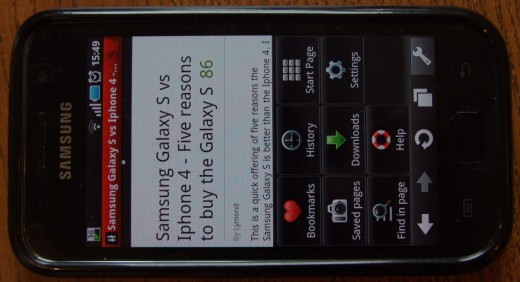
I personally use opera mini for most of my on line activity on this phone. Opera has one advantage over the other browsers available. When you make a page request, you do it through a special opera server which compresses your data before sending it on to you. In this way you get a sight speed improvement, because there is less data to download and you also get the benefit of less data, saving you your data limit and maybe money.
Other than this, it functions as well as chrome lite which comes as the native browser on the phone. Having said this, neither chrome lite nor opera run pages fully. Links are sometimes shaky, especially on complex sites such as games on Facebook. Videos are not there at all.
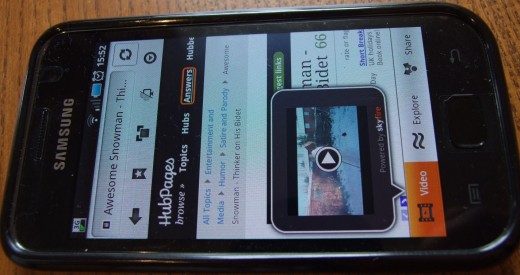
There are few mobile browsers that support video playing and full web loading for Android but Skyfire does. When I want a page to load fully with all links (e.g. Stats internal to a hub) and all videos (i.e. Youtube) I use Skyfire. There are a lot of things wrong with Skyfire, its buggy as hell, sometimes loading slowly, sometimes not at all.
Skyfire Operation
I find it clunky and nowhere near as smooth as opera but it does close when it's told to and it does show video, albeit in a pop out window. It also optimizes your video for the phone. It's not a perfect solution but until Froyo comes out with Flash (reputed to be slow and a battery eater!), if you want video it may be one of your only options.
Protect the Phone
At first I wasn't too bothered about this. I thought I'd just be careful new phone and all, no throwing it on the table, only to watch it skitter off the other side and drop onto the floor. No casually shoving it into a pocket with keys and change. I'd be careful.
Then I dropped it the first time. Then a second time. The third time the back came off and the battery fell out. Then a friend dropped his and the screen smashed. At that point I started to look for a protective case.
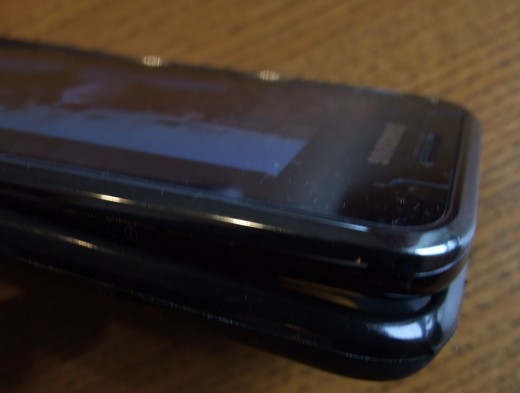
After some debate and on recommendation, I went for an igloo rubber gel case. I bought mine off Amazon for a couple of quid. Not a lot for what it protects! When I got it I found a very good product, close fitting, easy to apply rubberized case about half a mm thick, that covers the back and sides and doesn't add much bulk.
It doesn't cover the screen but a pack of screen protectors ordered at the same time (or even as a package on some Amazon sellers) solved the issue. Key points are that it covers the power key and volume rocker but with a raised bump so you can locate them. Everything else is open.
Screen protectors are a little difficult to apply but using a credit card (not the supplied card) and a soft cloth it was no problem. The only difficulty was getting the thing on straight because of the raised edges on the Galaxy S
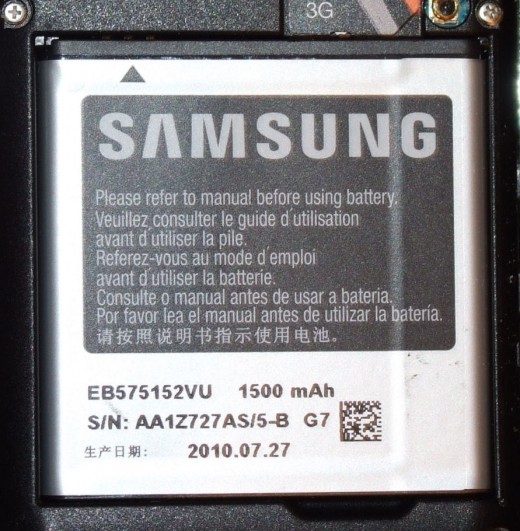
3000mAh Battery with extended thickness cover from Amazon UK!
Cameron Sino Extended 3000 mAh Battery for Samsung Galaxy S GT-i9000 with Back Cover
Saving the Battery
Everybody who owns a smartphone with a big capacitive touchscreen knows the pain of short battery life. There are a few things you can do to preserve it. For a start, turn down the brightness! This screen is bright enough on it’s lowest setting (where I have it unless I’m in full sunlight which is not likely in Scotland).
Secondly, turn off the wireless and gps when you’re not using them, which is probably most of the time. This can affect your ability to trace the phone if you loose it as most of the programs seem to work via the GPS being on already. You can even go as far as to get an app like nobars which turns the phone to aircraft mode on a variety of different wake up settings. This means it does connect to the network but only sporadically. Don’t do this if you want to read your text the moment it should arrive or receive calls but its good if you want to preserve some battery throughout the day.
Update
I've recently updated to Android 2.3 and the improvement in battery life is extraordinary! Previously I used to get just over a day of average usage now I can happily get two days, music playing, internet, games, the works!
Close Everything
Try not to use things like active desktop backgrounds, although they’ve got much better, they still drink battery. Finally, make sure you don’t leave applications running you don’t have to, get some form of task manager. Whether it’s the one the shop preloads for you or some other variant doesn’t matter. If you have the SGS and use opera, you’ll probably never close it otherwise!
New Battery
There is a higher capacity battery available for the SGS, I think its up to 3000mAh. This will definitely improve battery life, possibly by days. There is a catch though. It drastically alters the lines on phone and while it will fit into the phone, you'll need to purchase a new, deeper plastic back to accommodate it. This turns your 9.8mm thick device in a monster. On the other hand, I could live with 5 or 6mm extra depth for a few more days battery!
Multitasking
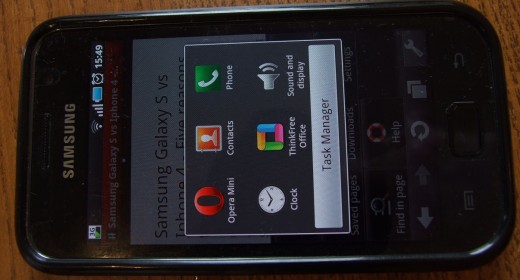
There appears to have been some complaints about ease of use on Android multitasking, especially on other phones. I honestly can't see the problem on the Galaxy S. Multitasking is easy. To minimize all open apps and get back to the home screen (to open another app), simply short press the center key. To easily switch between apps, long press the centre key until the task manager key comes up then select the app you want from the six icons listed. As the meerkat says...
However…
Some apps don't take to multitasking very well. The video on Skyfire being one example of this. If you've playing a web video or flash game and somebody sends you a text, if you want to keep the vid window open and in the right place, don't open another app over the top. If you do, the vid reverts back to the player window and you have the load all over again.
Connecting your phone to Kies and the PC
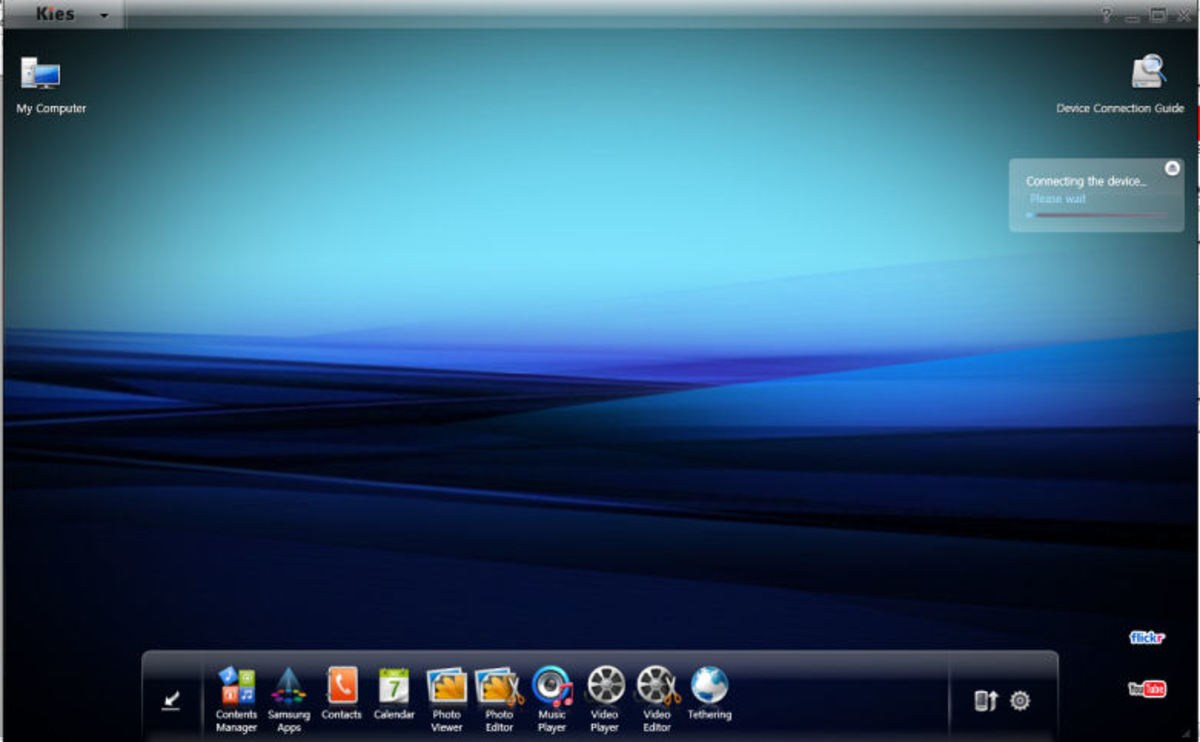
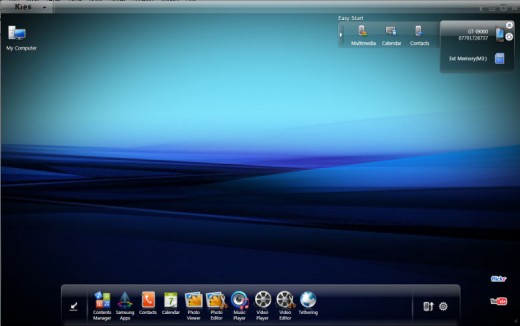
Many people seem to have trouble connecting their Galaxy S to Kies. I myself had a problem to start with, an MTP device driver error whenever I connected the phone. I solved that with this: How-to-Connect-Samsung-Galaxy-S-with-Kies-on-your-PC and the CDC device error that came after it. So far, I’ve had no problems connecting with Kies or loading both the internal and external memories as external memory on the PC similar to a flash drive. I also connected it to my work PC very easily, where I don’t have admin privileges.
Using the Phone as a Mass Storage Device
Connecting the internal and SD card memories as external storage devices on the PC is very simple.
As part of the phone’s actual working you have to set the phone in Mass Storage mode:
On the phone go to applications -> settings -> About Phone -> USB Settings -> Mass Storage.
Then slide down the status bar (the grey bar at the top of the screen) and press the USB connected message with the USB symbol that says “select to copy files to/from your computer”
This will pop up a message, probably in blue and white that says “USB connected” and underneath: “You have connected your phone to your computer via USB. Select “Mount” if you want to copy files between your computer and your phone’s SD card.” Then simply press Mount and it should connect. The storage (either one drive letter if you don’t have an SD card or two if you do) will show up under my computer exactly the same as a flash drive.
Custom Message Tones
You may have discovered that in its native out-of-the-box form you can’t select your own particular message tone other than from the (awful) list it gives you. Fear not, there is a way to remedy this.
If you’re connected to the computer without issues, it’s easiest to do it via the mass storage mode on the PC. It can be done on the phone itself but it’s more cumbersome.
PC Method:
Connect to mass storage mode and then navigate to the internal memory. You’ll know the internal memory drive from the external memory drive by folder such as “Android” “.thinkfree” and “Samsung” and other Android system folders. This is the internal memory root folder.
In the root folder, first look for a folder called “Media”
If this folder doesn’t exist, create one and label it “Media”
Inside the Media folder, create a folder and label it “Audio”
Inside the Audio folder, create a folder and label it “Notifications”
And inside the notification folder you can place all the files you want to use as notification and message tones. The system will need to refresh, which should happen when you disconnect the phone and memories remount to the phone. If you can’t find the files you want in the list try unmounting the memories and remounting them.
On the Phone Method - Not Connected to a PC.
Firstly I used a third party app called Astro to deal with the folder systems. It’s still confusing as to where you are in the folder system but it allows you to display folders as icons.
The method is exactly the same as before only you need to work out how to create a new folder (yes sometimes I can be very stupid). Press the menu button (the page symbol on the left hand side) hit “new”, then “directory”, then name it exactly as before starting with Media. Go into the media folder and create the whole system as above.
When you’ve finished creating the folder system, you’ll need to unmount the internal and external memories and remount them. That’s: Applications -> Settings -> SD card and phone storage ->Unmount internal SD card -> MountSD card.Having trouble connecting to the PC? try here...
- Connect Samsung Galaxy S with Kies on your PC - The MTP Error
I just got my new Samsung Galaxy S and have finally defeated the MTP device driver error and CDC driver error! I am now connected to Kies. I can't wait to start using this beast! It's arguably one of the most...
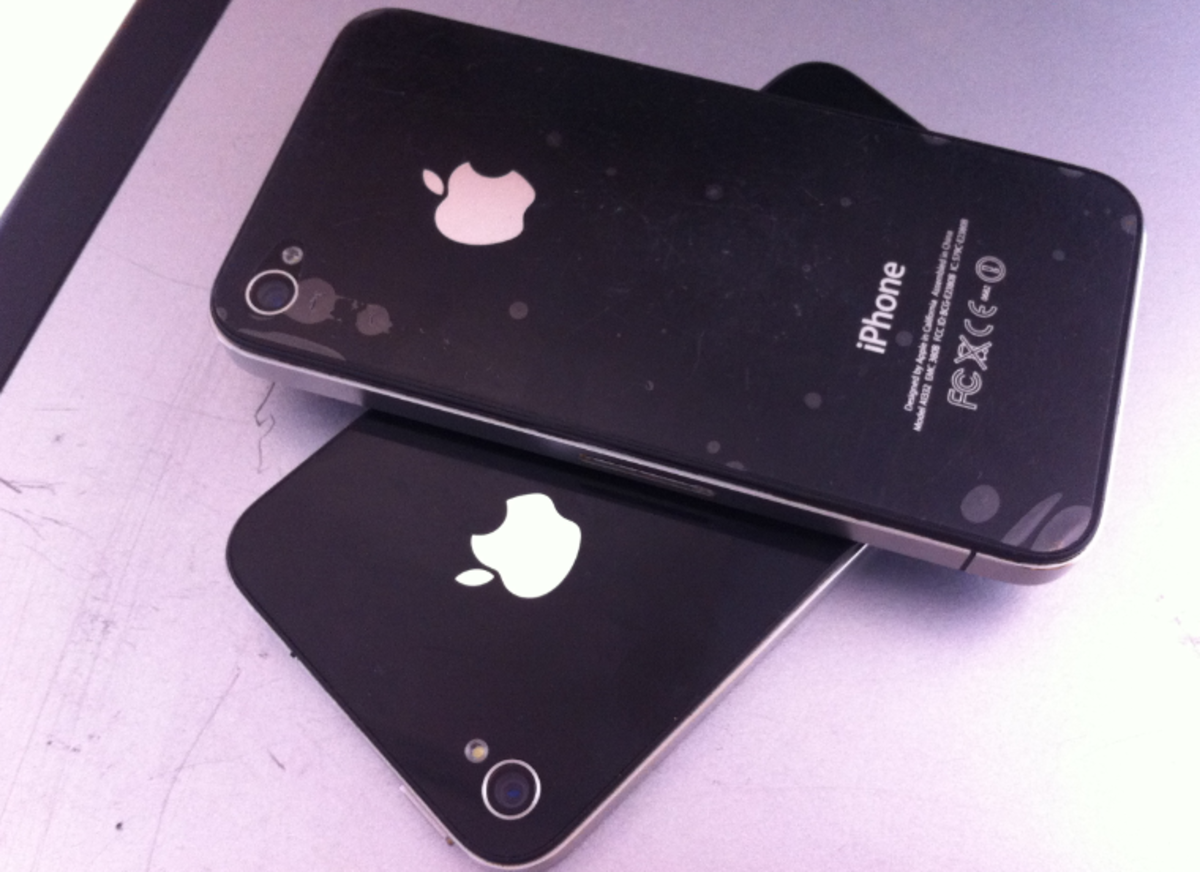
Want to reassure yourself as to why the SGS is better than the Iphone 4? take a peak...
- Samsung Galaxy S vs Iphone 4 - Five reasons to buy the Galaxy S
This is a quick offering of five reasons the Samsung Galaxy S is better than the Iphone 4. I wrote this, not because Im Apple bashing or because I think the Iphone isnt good. Ok I am Apple bashing at...
how do you lock your images on an galaxy s i9000?
Hi Blaze,
Not quite sure what you're angling for but try here:
hi there, thanks for the tip on changing the boring message tone to a decent music track, iv tried everything even asking a member of staff at carphone warehouse and they were no help, ur tip did the trip, once again thanks very much.
I've had my Galaxy for a couple of months found my battery lasts a lot longer if I give it a full over night charge using the charger supplied with the phone. The charger doesn't get warm which suggests it's not using much/anything when the phone isn't connected. My other third party charger does get warm so I only use that for boosting if needed.
If you only charge it until the phone tells you to stop, the battery doesn't seem to last anyway near as long.
Rob,
Interesting about the chargers, is the 3rd party one possibly supplying too high a current meaning it gets warm quicker? Also, the hardware companies do want to stick green labels all over so they may have made the chargers 'smarter' to get a cut off point. Maybe its the old trickle charging to keep it topped up that somehow gives you a better charge. I think there's some way to calibrate your battery meter as well that may be worth looking into.
On a similar topic, I'm thinking of getting a charging plate for my phone and other electronic, I wonder how that will hold up.
the best thing to save your batteries is not only to close all apps, because still backround apps will run, so clean the apps and then click the RAM, click level2 and clear.
you will see that up to 6 or 10 more apps were running on the hidden background, killing your battery.
Cheers for the tip paragon076. The reason I don't use this very often is that it seems to affect programs opening speed. I'm not awfully happy with the speed the phone works at since I upgraded to froyo and I don't want to do anything to make it worse.
iam a new user of galaxy s...i wanna knw how u can keep ur msgs locked so othrs cant veiw them,,,i had this option on my samsung m 200 old phone...now im irritated widout it....
Hi maryam alam khan,
Don't specifically know whether this is a native function of the SGS but there is a fair amount of detail here:
http://androidforums.com/droid-support-troubleshoo
along with recommended 3rd party apps.
I have the Samsung Galaxy s at first no prob with emails and web browsing, now no can do checked all the settings etc no joy Any suggestions
i want to know how can i connect internet on pc through data sim on my galaxy gt-i9000,
as in case of nokia we can do with nokia pc suite,
Hi John,
If you PC or Laptop has WIFI then no need to use cables.. just go to Applications-Settings-Wireless and Network-Mobile AP settings-and turn it ON... once done.. search for your Phone on your PC or laptop under WIFI connections... once you find it.. enter the code displayed on your phone.. and thts it.. njoy the wireless connectivity...... CHeerz!!!
hi John, Mora,
As Mora said above (thanks Mora), or if you have no wifi, there is also a tethering menu just below the Mobile AP setting that should allow your phone to act as a mobile data connection via the usb port.
how can i add pictures to contact list,
i bought my galaxy s from middle east, there are some applications which are pre installed, i wanna remove them tried hard but cant, can anyone help
firstly: http://samsunggalaxysforums.com/showthread.php/406
secondly, Settings - applications - manage applications - all - then find the applications you want to get rid of, tap on them and the application info should open. There seems to be an uninstall feature next to most of them.
hey, my gps is not working on galaxy Si9000
can anyone help, i cant use the navigator
I am thinking about getting a new phone and this one is near the top of my list. Thanks for the info, maybe I'll be using it one day.
When I put my phone on charging its touch screen is not working.....so is there any option to use touch screen during phone charging
Is that charging through the USB cable? Try pressing the middle button on the phone to exit any connection mode that might be open. The phone should continue charging.
i use text messages on my galaxy ace for business, mostly because they represent a searchable reference. my problem is that i can't figure out how to get at the text messages on my pc, nor verify that they have been backed up by Kies.
don't get me started on Kies BTW. gotta say, despite being an evil entity, Nokia PC suite had much more functionality for those of us that use their phones for business.
@chintan1984: If you use a wall adapter in which you connect the USB data cable (like the ones used in iP***s) to charge, the Galaxy S screen freezes. It also happens with many 3rd party chargers. If the data cable is connected to a PC/laptop, then it works fine.
How do i get my text messages from coming across the top of my screen? ?? Ppl can read them if the phone is just sitting there...
Hi Crystal, you can go into message settings and scroll to the bottom to "notification settings" and untick "display message notifications in status bar". This is a bit limiting as it then only shows that you have received new messages in a little number on the text message icon rather than the yellow text message symbol at the top of the screen but it will get rid of the bit showing the text.
Can someone help with the use of External SD card? I can't get anything saved on it. Confusion is - trying to find the difference between Internal / External SD - card is always just referred to as "SD card" by everyone!
Colpro, Just based on the way I use it, when saving and moving files, the initial folder structure brought up is something like "/mnt/sdcard" This is actually the internal phone memory not the External micro SD card which can be physically removed from the phone. To access the External SD card, I simply scroll down the list of folders and look for "external_sd" which has a different icon to the other folders. When clicked, the folder address then reads "/mnt/sdcard/external_sd" Yours may be completely different but I hope this helps....
I bought a gel case for my samsung galaxy s I9000, but I don't like the way it looks because it covers the shiny metal outer trim. Does the Igloo gel case also cover the outer trim? From the picture you posted, it doesn't look like it does?
Sorry Paul the igloo case covers the outer trim :( I half took the case off for the photo.
Hi there can you tell me is it possible to copy or move all pictures on the SD card (which I had previously on nokia mobile) onto the internal memoray of the Galaxy S phone (older model)?
Many thanks
Denise
Hi Denise, It is certainly possible. The best way is to put the SD card into the phone (assuming its a micro SD card) then connect the phone to a computer (assuming you can) set the phone to mass storage mode by following the instructions in the article under Using the Phone as a Mass Storage Device, ( or on the most up to date version of Android, or at least mine, the phone comes up with a "USB connected" screen and "connect storage to PC" option at the bottom. press, the connect storage to PC) and the computer should find two different drive letters and allow you to browse two different sets of folders, exactly like plugging in a couple of flash drives. You can then freely move files and folders from one to the other. Simply use my computer or explorer to find the folder where your Nokia pictures are and copy them over to a folder on the phone memory, which will be the second of the two drive letters that started when you connected your phone.
Hey!
does anyone know of an app or setting so I can plug my phone into my car via 3mm jack so while I am on the phone the sound (other persons voice) goes through the speakers? at the moment only music will play. As soon as I answer the phone it goes to the phones speakers.
Thanks :)
Hello,
Nice article! Do you use any custom rom on your galaxy S?
Hi,
Can I ask if anyone had any problem with USB tethering for Galaxy S i9000? I upgraded my firmware to gingerbread. Didn't try it in the previous version, but now I tried, my Windows XP can't detect any thing. Any help please?
Hi Genevieve,
I've not had any problems (just connected it up now) but it does say Samsung Android usb remote ndis network device connected successfully so I would search for known errors to do with that first.
Hassaan, I don't use custom roms, I don't have the three button reset and didn't like the odds of bricking the phone to get it back :-)
Jesska, My phone used to have the same problem, you couldn't use a set of earphones for a phone conversation. Since I upgraded to Gingerbread, this seems to have become a function. The other thing is some headphone jacks are wired slightly differently, you won't be able to tell just by looking at it either. There's something to do with which connectors on the headphone jack is wired to the audio and which has the (usually blank on a set of straight headphones) microphone connection. Not my area of expertise.
How to save SMS in different folder in Samsung Galaxy GT I9000?
Hi Dr, don't know if there actually is a specific folder for the I9000, if you want to back up, there are third party apps that back up to gmail and the likes. If you find another way, let us know!
Is there ANY WAY TO change each wallpapers on each screen? Mu old Droid had five screens and I could set a different picture for each screen? Please help I have been in all settings can't find it anywhere?????? Help please!
how to xplore external memory card in galaxy s (froyo 2.2)?
Hi Waqas, there's a post, 14 posts above this one describing how I get to the external memory card in my I9000. Initially I go to 'Applications' button then find 'my files' then follow the post above
Hi jcapatino, there is indeed a way to set individual wallpapers on each screen. You'll need to access the market and get a third party program though. I use Multiple Wallpapers by Patrik Minder, an excellent, easy to use program. Just follow the instructions to set the wallpapers. I can't speak for battery life drain though, it doesn't seem to affect it too much.
Wondering how I enable the cookies! Thank you!
Hi linda
Assuming you're using the standard google browser that comes with the phone (blue world icon), press the menu key on the phone (left hand icon), press 'more' on the menu that pops up at the bottom of the sceen, go to 'settings' scroll down to 'privacy settings' tick the 'accept cookies' box, press back, fully exit the browser and restart.
hi Lymond
thank you for your help but i cannot see "application" icon in my galaxy s. also not "My Files" in it. but i can play video from my external card from the video player.
i also installed a file manager but still not found external sd card to explore. maybe its hide any where. plz help
Hi Waqas, Don't know if you're maybe using a rooted phone or custom ROM, also is the phone a GT i9000 or one of the other Galaxy S models? Mine has four fixed keys along the bottom of the screen, phone, contacts, messaging and applications. That is the application button you need.
yes i have the same four fixed keys. but no option for file manager internal and external. i installed EX File manager it can explore internal sd card but not external.
maybe i need to upgrade the android 2.2 to 2.3.
actually my galaxy s is a Korean phone(SGH-M110S), not international version.when i call someone it shows "call to korea" or "call to other countries".i hope i can upgrade korean phone to an international version phone. thank you
Hi waqas, have you mounted the sd card? Check applications, settings, sd card and phone storage, then under sd card, mount sd card, then back to your file manager. Also are you saying the default file manager 'my files' doesn't exist under applications on your phone?
yes. default file manager does not there. i can mount and unmount sd card from settings. but cannot access it from phone. from computer i can do any thing. thank you
my galaxy s sometimes when Im listening to music it shows that its playing but it stops I always have to exit it and go back to play it correctly, also when browsing web it takes long time to load and would say cant find web page and sometimes force closes , and for a while google kept asking for a code everytime I searched something to make sure I was a human can my phone get a virus like a regular pc , my battery only lasts a day n my charger was annoying had to keep moving it in order to charge phone any ideas on how to fix these problems ??please thnx
Hi Becca,
What android system are you using?
If I record video on the storage the video won't play,why is that ?thanks
I uninstalled an app but still have the icon and cant remove it ??!
Buttons away too bright when reading at bight, Anyone know of a solution to dim those two buttons. The menu & return keys on my Galaxy S i9000?
Hi Carl, try editing the menu. In apps press the left hand dedicated key (menu) and press edit. Usually you can uninstall programs here but as you've already uninstalled it, maybe it'll get rid of the icon.
hi, i just want to ask you. how to change download directory for android market apps. its says an error NO MORE SPACE to download. i have installed just 5 apps only. thank you
Hi Waqas, have you tried settings - applications - manage applications - market - clear cache?
Otherwise, see the threads on xda-developers forum
Hi I'm using samsung galaxy s GT i9000.
This phone not view indian language message and also in internet it shows box instead of text.
Plz Help
I have a galaxy i9000 and was wondering if anyone knows how to change the way text msg are displayed. Mine are grouped together and the incoming msg are seperate bundle instead of one after another, really annoying when I have to scroll back to see what the other person msg said..Thanks
Hi
Is there an app to notify me more than once for txt messages?
Just bought a Galaxy SII....how do I txt everyone in my phone book my new number?.....it will only let me add 9 contacts at a time?
Andy, sounds like a fairly bad limitation, get a third party program like go sms?
my phone was working one minute and the next it was saying 'database storage is low' then when i tried to go in and delete some apps it came up with loads of 'force close' windows. it now wont let me get access to anything on my phone and i really want to find out how to back up my pictures from the phone onto wither my sim card or memory card before factory reseting. can you help?
Hi Bex, a third party app available free on the android market called Handcent sms will do what you need and quite a bit more! Trev, this might also be a fix for your text display issues.
Lisa, I would try to connect the phone to a computer via the cable and extract your pictures that way. Otherwise, if you can manage it, long press the 'DCIM' folder on /mnt/sdcard, press copy, then navigate in the folders provided to the external sd card (the removable micro sd card) and hit 'paste here' Hopefully your phone will hold up long enough for you to manage that.
How can I update to Andriod 2.3 on my GT I9000?
Hi Blake, Your best bet is to connect the phone to a computer via the USB cable, open Galaxy Kies and follow the update procedure there. Make sure you have everything backed up, files, photos, contact etc before you start.
Hi I love my Samsung Galaxy S I9000 the only thing i am stuck about is how do i make the phone ring for longer before answer phone cuts in. being a woman by the time I've fished it out of my bag its stopped the call HELP!!
can any one tell me how to set the quiet time silence setting on the i9000
hey i was wondering if there is a problem with the phone battery or the charger.. here is the problem my samsung vibrant wont charge with old chargers it only charges with the original charger it comes with..ANYONE CAN HELP PLZZ LET ME KNOW ASAP THANKS
hi everybody...my sumsung galaxy s i9000 goes to flight mode many times in a day losing network and to recover i haveto restart the phone....can anybody pls help and give me a solution???
I want to add a picture to my file folders help please .. Samsung galaxy s2
Hi have a galaxy phone and every now and then the screen maximizes and I cannot change it without turning the phone off dies anybody know how to change it. Thks
im trying to get my old phones pictures, just by using bluetooth. But not just pics, also msgs messages. Is there anyone that can help me? Im using my Samsung galaxy s2 as we speak.
Hi can you tell me is it possible to get a virus on the sg2? I'm having some problems with it also the standard google it came with gas disappeared and a new google came up however it is not as effective is there any way to change this back?
Hi Carrie, it is possible especially through non market apps. If you're particularly worried you could install a phone anti virus program such as Anti-Virus free, norton mobile lite, AVG or lookout security. They're all free. There may be others as well. They do consume resources though and may lower the speed and battery life on your phone. if its just the google homepage thats changed try going into the settings and checking the homepage url. It should be something simple like www.google.com
I have just checked the default google web browser on my phone and the homepage is http://www.google.com/m?client=ms-android-samsung&
how to show stored massages in memory card on samsang gt-19000?
Is there any way that I can move or coppy a PDF-file from my DownloadFolder to Home screen??
Samsung Galaxy S2
Thank´s...
Can someone please help me? My Galaxy GT-I9000 has frozen with a triangular yellow screen with a little android man shovelling?? Under this it says "Downloading..." in yellow font. At the bottom of the screen it says "Do not turn off Target!!!" Also in yellow font. I took it to Samsung and they suggested i had downloaded illegal firmware and were going to charge me to have a technician look at it. I havent downloaded anything on my phone and use it basically for calls and text only. Can someone please help me???
Hi Pedro, somehow your phone has frozen in the middle of an android update, i.e. updating the operating system. If it has been like that for a number of hours your options are limited. You can go with samsung and pay (probably the safest option) or you can take the battery out, turn it back on and pray. The second option could well result in irreversibly damaging the phone or "bricking" it. I have done this when an update failed, and the phone is now fine, but perhaps I just got lucky!
Thanks Lymond, i have tried taking the battery out with no luck, also tried holding menu button+volume upand pressing power button, still no luck. The phone has been like this for weeks and i have bought a cheapy in the meantime hoping i can fix my galaxy. Do you think i could just take it to a non branded phone shop where they have signs "We unlock phones"??
Thanks
My phone says the memory is low and I am not getting my text messages. I erased lots of stuff and there is plenty of room and I did an update. Still says memory is low. Any ideas??
how can i see the prosessor of my Galaxy S GT-I9000
Sam, I've seen this problem crop up on a forum somewhere, maybe xda developers. I suspect that factory reset was the answer.
Warren, do you mean physically? Take the phone apart but I wouldn't recommend! To just find out what the processor is try android cpuz from the market, will tell you lots of info about the phone. Actually, Sam, if you have space, cpuz had lots of memory information too!
Hi Lymond, you may be the only person who can help me! Is it possible to turn off the annoying voiceover on the galaxy s music player? I don't really want to use a different player, I just went that obnoxious voice to stop!
hi lymond,
how do i create different folders for sms and store sms on the galaxy s2. Previously i had a nokia phone where i cud save msgs from diff. ppl in diff folders.
Hi Is there someone who could tell me why I cannot see any of my video's I have taken in the gallery folder. Where would it be stored?
Hi, I have had no problems up to now (about 9months) but I've had the phone tethered through USB for internet as the wireless on my laptop has fried.
I have been playing an online MPORPG for a while and forgot how long the phone has been charging. It's cut out possibly from overheating but now back on and connected again my third-party battery app is telling me 0% battery.
Has the phone somehow disconnected the bettery to save it or have I just destroyed it?
Kitty, I have no idea how to turn it off, mostly because I've never had it turned on. I assume it reads out what the song is that is playing? Not something I've come accross on my phone but as I don't have it, I assume its either something you've loaded onto the phone or it can be turned off somehow- sorry.
Savio, my galaxy groups text messages by person, for instance I can have 1200 texts from one person but in the text box, it only says their name and the first line of the last text sent. I click on the name and it opens the text listing as a scrollable series of messages in order of time sent. You could try loading Handcent sms to get more sms functionality?
Johan, no idea at present. All my videos appear at the very bottom of the DCIM folder, regardless of when they were taken. They're distinguished from the photographs in the folder by a small play arrow over the thumbnail. Mine are stored on sdcard/DCIM/camera where sdcard is actually the internal phone memory. Alternatively you could look at sdcard/external_sd/DCIM/Camera?
Rhys, no idea, I've never had mine on that long! I'd see if you can install a different third party battery app and if you get the same results you've probably fried something in there! I suppose the simplest way to figure out if you've destroyed the battery is to take it off charge and make the phone use the battery. If the phone dies, the battery is dead.
Pedro
have you tried: Take out the battery, then press and hold the ON button for about 10 seconds or so. Replace the battery, then press ON button to try to switch on. This is a soft reset, and wipes the temporary memory and empties all remaining power in the circuits.
Hi, I am using Samsung Galaxy S I9000, sometimes when i make a call and when it does not connect for some reason or if i disconnect the call before it connect to the number, i cannot any longer dial or receive calls, unless i switch off and on again. It is like it does not connect or receive calls. what could be the problem and how do i correct this? please note this does not happens every time, only sometimes.
texting on my galaxy GT I9001 when texts are longer than a couple of lines it sends a failed report to me and sends half the text to the recipient. Anyone had this problem?
I just want ask....when i open my keypad or dial the number......i cannot exit the keypad anymore........???tnx?
thankyou for notifacation tip
Can you help i have trouble opening my video messages. I have tried various video players but will not open samsung galaxy i9000 thank you
Hi Moira, is it possible something to do with restricted settings? If you go into messages, press the menu key, go to settings, find multimedia messages, go to creation mode and select "free" that might help. Bear in mind that mm messages can cost a fair amount both in the message and in data!
Hey! I have a problem, All my media sounds is not working but all of my volumes are in 100% how can i fix that? please reply!
Hi Ella,
If there is no sound at all, is it possible you have damaged the phone speaker? Have you tried playing a music file with headphones in? If you have and there is still no sound, have you tried a third party program such as quick settings available free from the market which has a very easy to check volume control section?
I have tried it with headphones on and it works but if theres no headphones it doesnt work
Hi Ella,
Try the quick settings program I mentioned, the volume switch on the phone controls multiple volume settings but can get 'stuck' on one, for instance, when the music player is on my phone, I can't change the system volume with the Vol key, even if the music player is minimised. quick.settings had individual volume sliders for all the different volumes. If that doesn't work, you may either have a physically defective speaker (if there is no sound or crackly noises from the speaker) or a firmware issue.


Eyetrap 19 months ago
Nice hub, thanks for the tip about the app like nobars which turns the phone to aircraft mode on a variety of different wake up settings. That's great!